Keyframe-level direction
You can place up to 16 keyframes per clip in the product workflow (up to 64 source-frame indexes in the underlying model) to lock pacing and motion beats.
 Ray 3.2
The Ray 3.2 AI Video Generator turns an existing clip into a fully directed cut: up to 20 seconds at 1080p with native HDR and EXR export.
Credit rates
| Resolution | Standard | HDR |
|---|---|---|
| 540p | 2 | 4 |
| 720p | 3 | 6 |
| 1080p | 7 | 14 |
HDR only supports 5s on generator modes. Credits scale by resolution and HDR mode.
Result output
Your result will appear here
Enter a prompt and click Create video.
What is Ray 3.2 AI Video Generator
A Ray 3.2 AI Video Generator is a tool, built on 's Ray 3.2 video model, that creates controlled videos from text prompts and image references.
Ray 3.2 is an AI video model from Labs, released June 9, 2026, and designed in collaboration with creatives from the entertainment, advertising, and gaming industries. The Ray 3.2 AI Video Generator lets you create from a text prompt or guide the result with an image reference, then refine motion, style, and output quality.
Three things separate Ray 3.2 from earlier AI video models:
Keyframe-level direction
You can place up to 16 keyframes per clip in the product workflow (up to 64 source-frame indexes in the underlying model) to lock pacing and motion beats.
Production-grade output
Native 1080p with 16-bit HDR generation and ACES2065-1 EXR export, designed to drop into Nuke, Resolve, Flame, or Baselight without conversion.
Performance tracking
The model tracks the full expressive state of up to eight faces at once, frame by frame.
In short: the Ray 3.2 AI Video Generator is a production-grade T2V and I2V workflow for creating controlled video with stronger direction over prompt, reference, motion, and output quality. For a deeper model overview, read what Ray 3.2 is.
Key Features
Every feature in the Ray 3.2 AI Video Generator was built around one idea: give creators more control over the generated clip. Here is what you actually get.
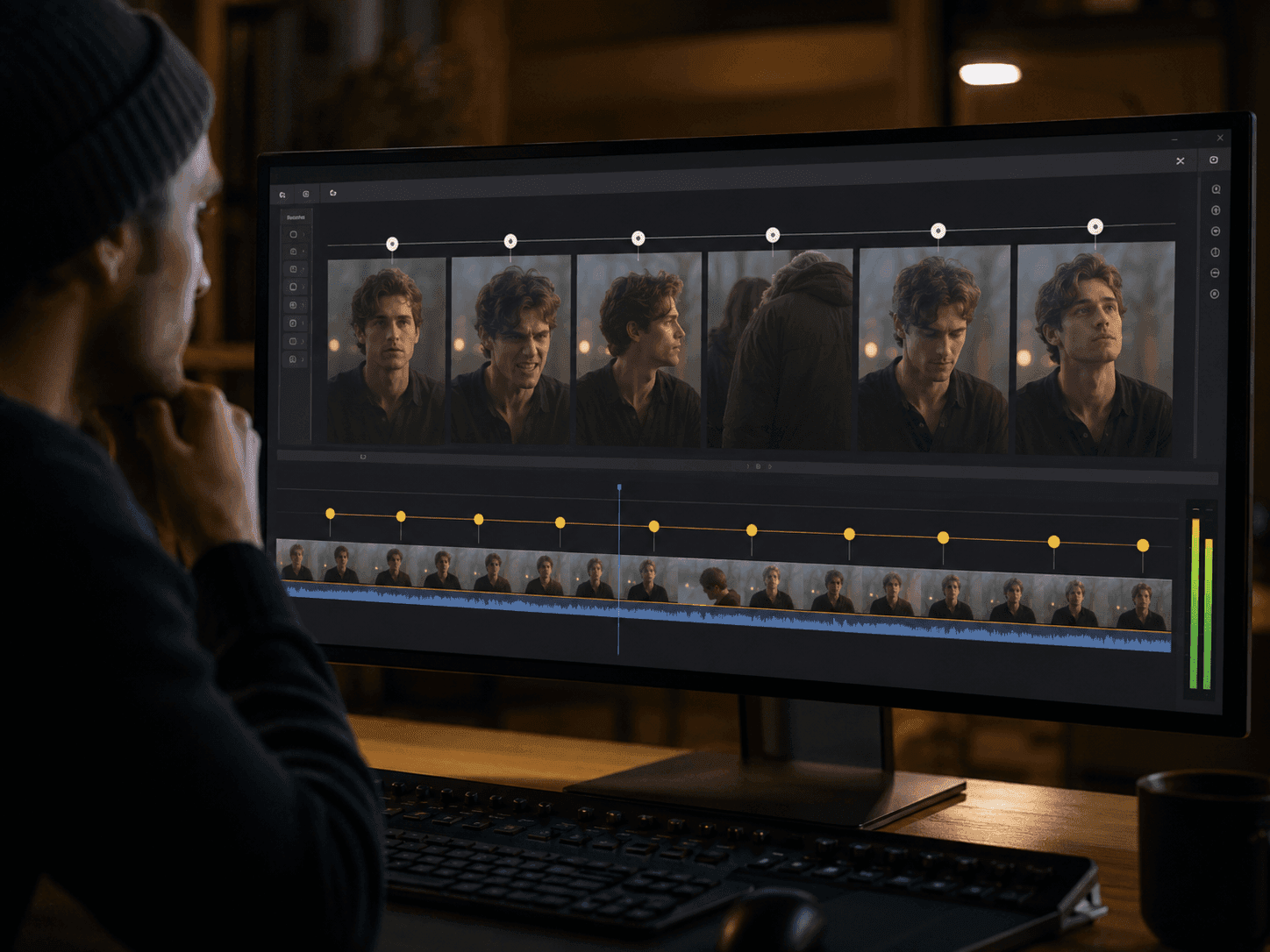
Place up to 16 keyframes inside a single clip and lock pacing, blocking, or character expression on each one. Ray 3.2's underlying model accepts up to 64 source-frame indexes for fine art direction.
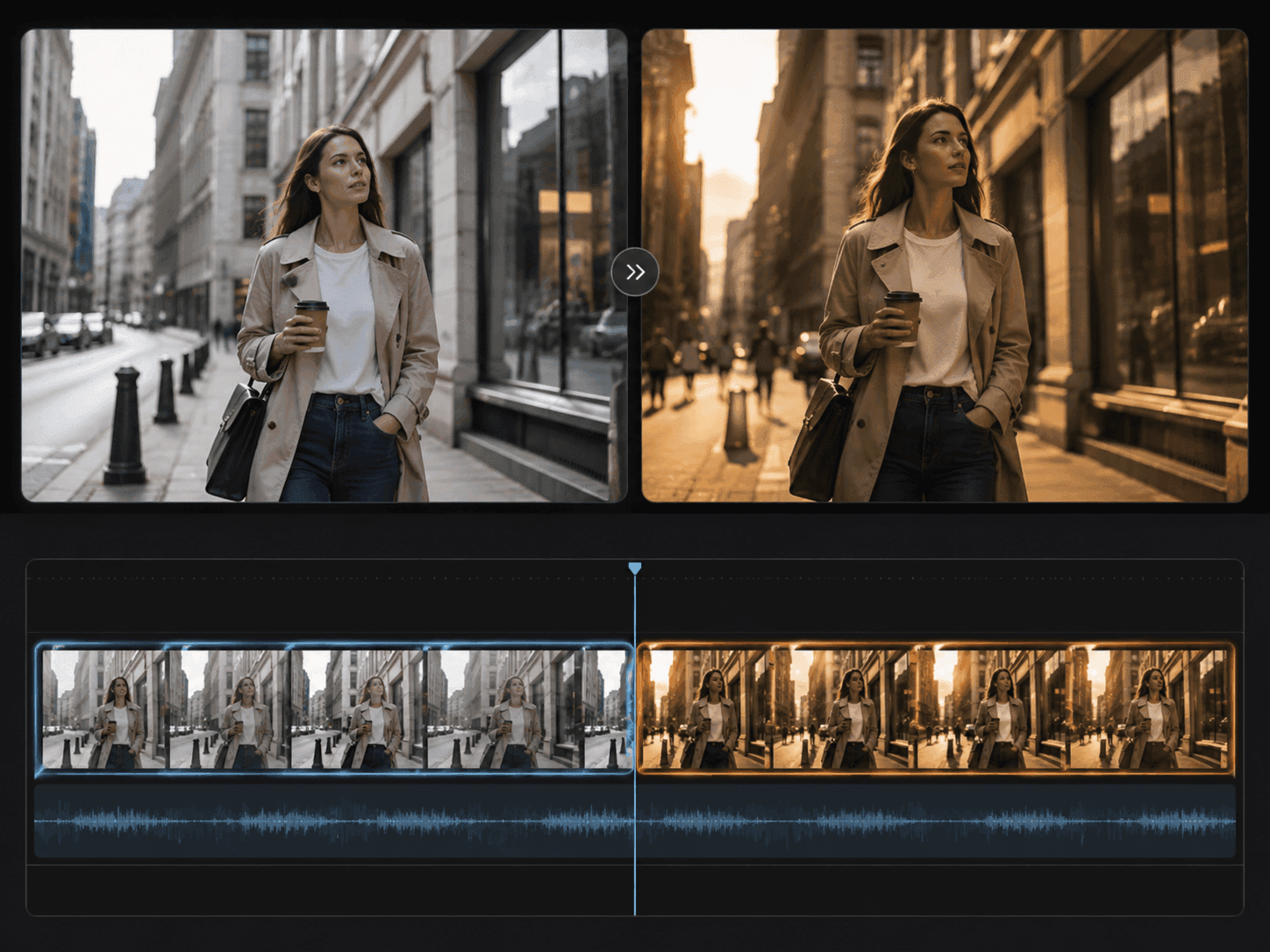
Create clips up to 20 seconds long from a prompt or image reference at 1080p. Describe the subject, motion, camera feel, and style, then iterate toward the version you want.
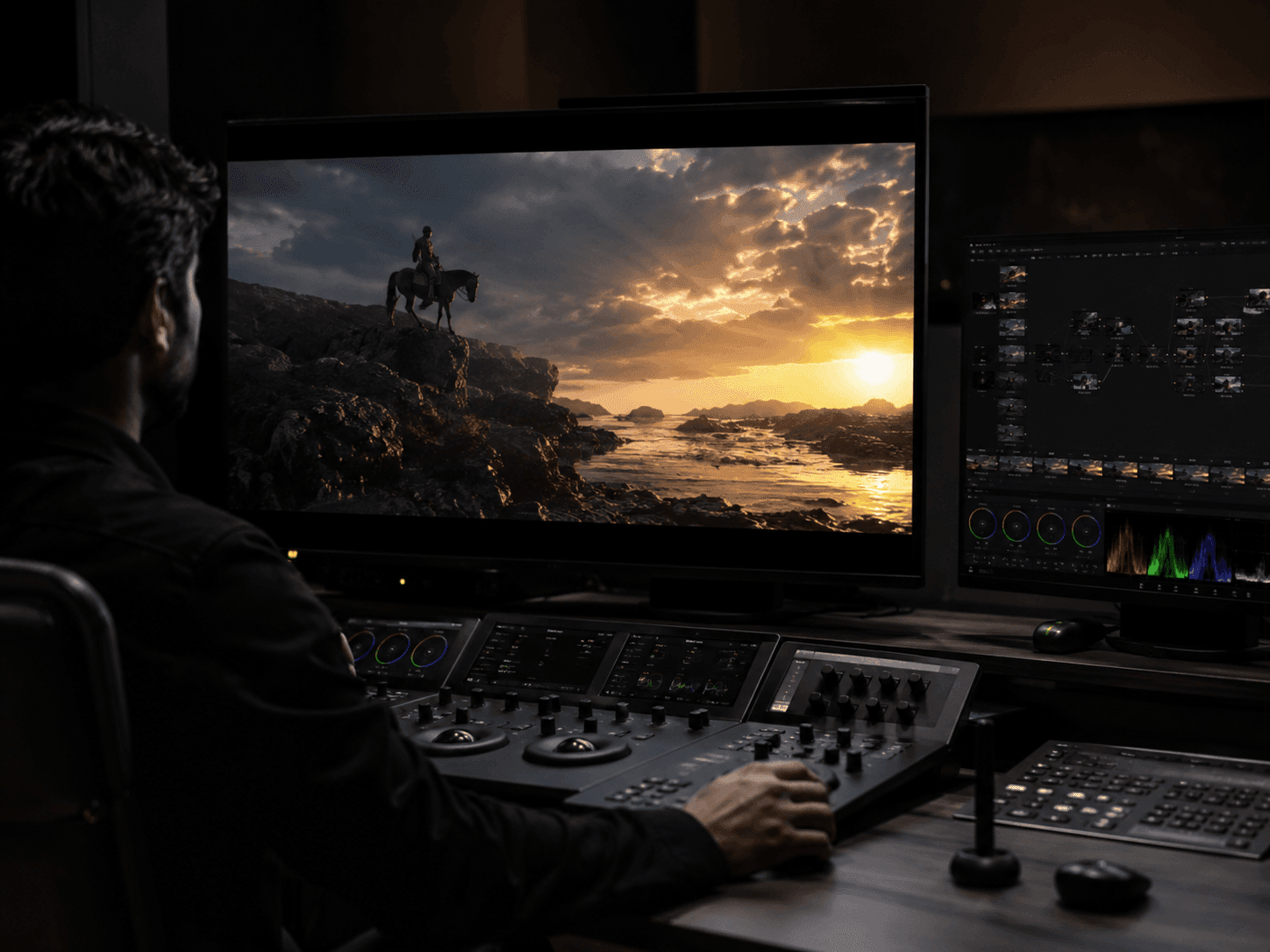
HDR generation is native, not upscaled. Export 16-bit frames in ACES2065-1 EXR for direct color grading in Nuke, Resolve, Flame, or Baselight.
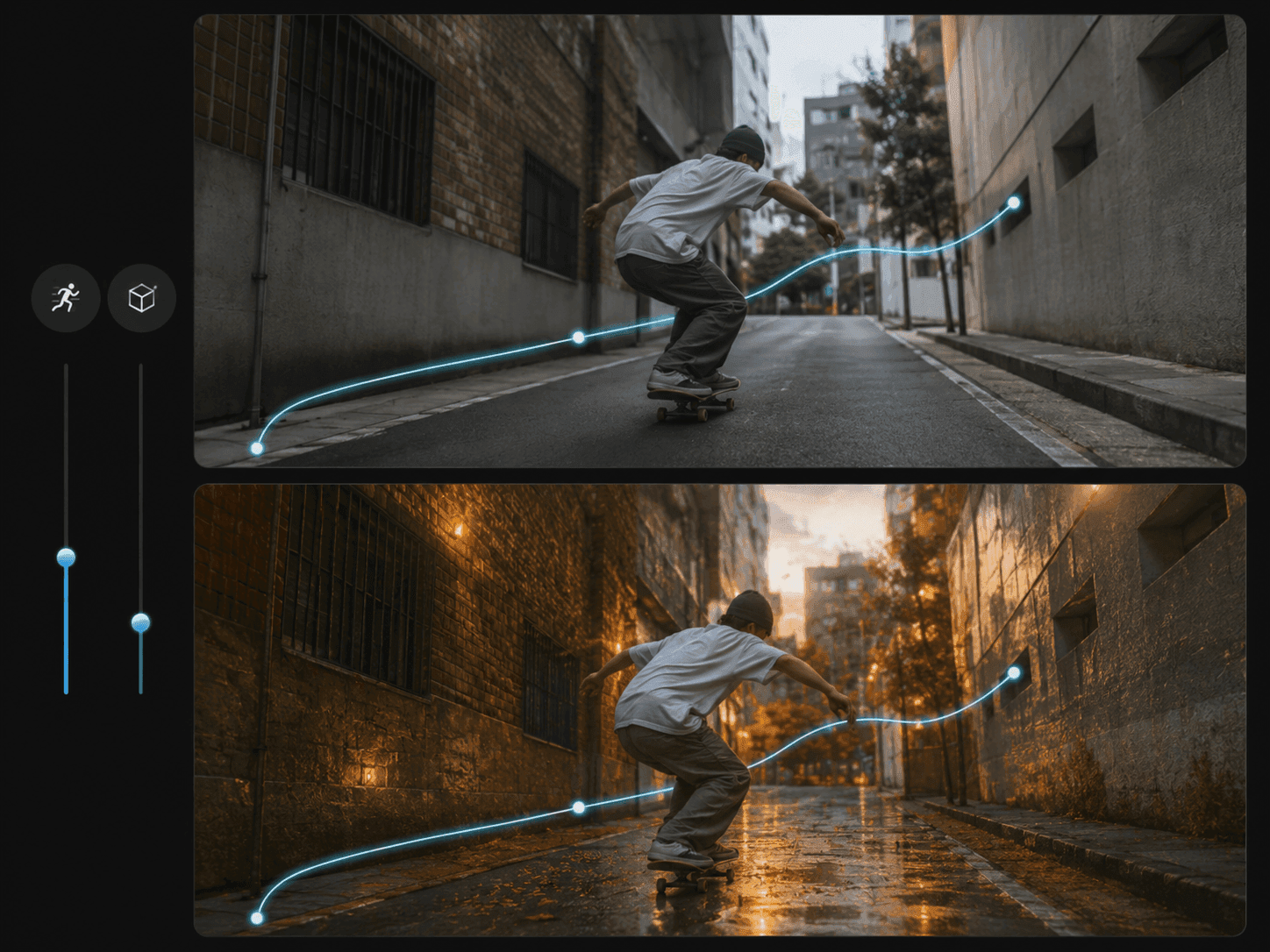
Two 1–9 sliders. Motion controls how closely the result follows your movement direction. Structure controls how closely it follows the layout from the prompt or reference image.
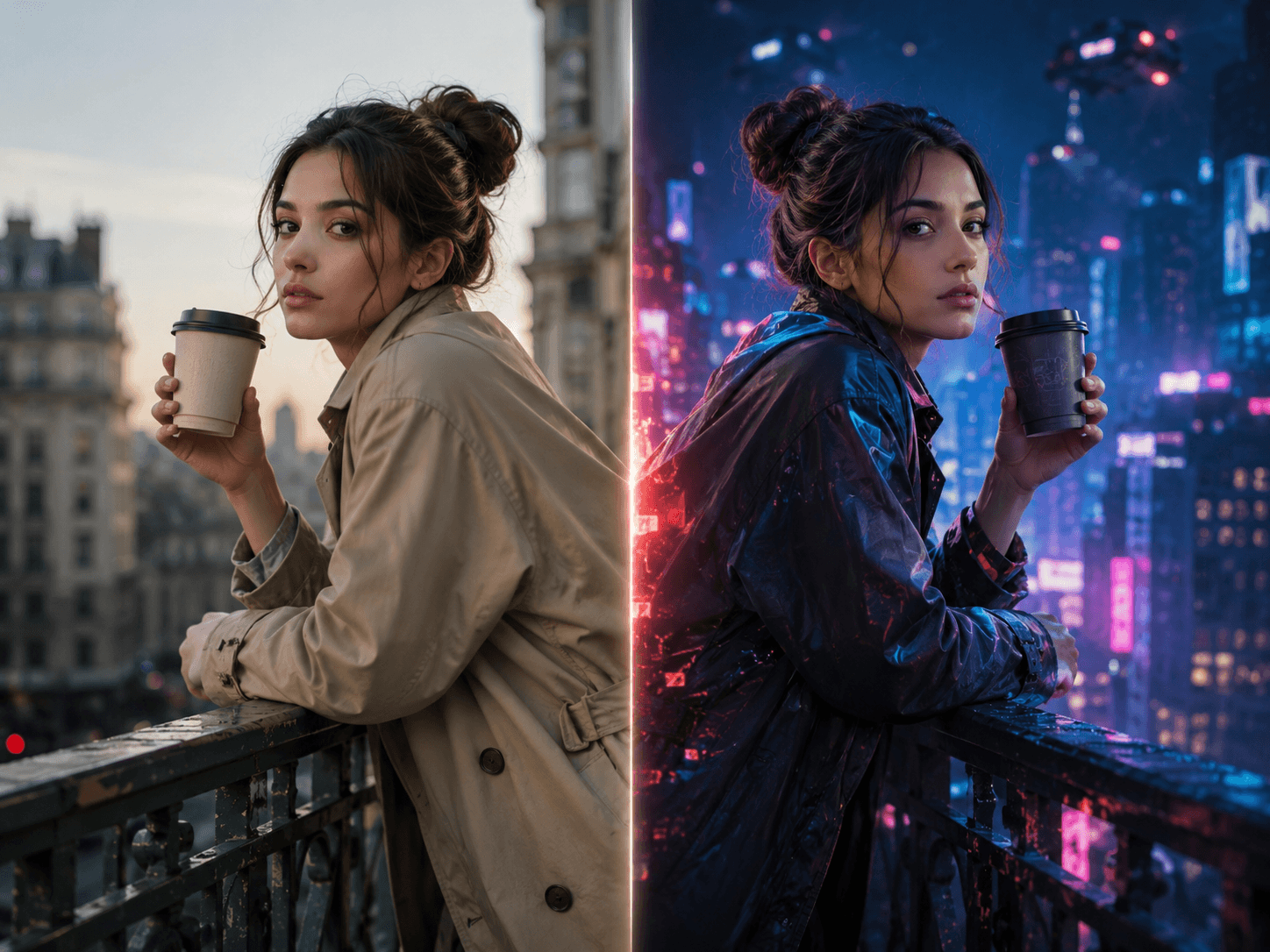
Lock facial identity, body proportions, or full skeletal pose. Use Blocking for stylized non-human transformations where you want flexibility, not a rigid skeleton.
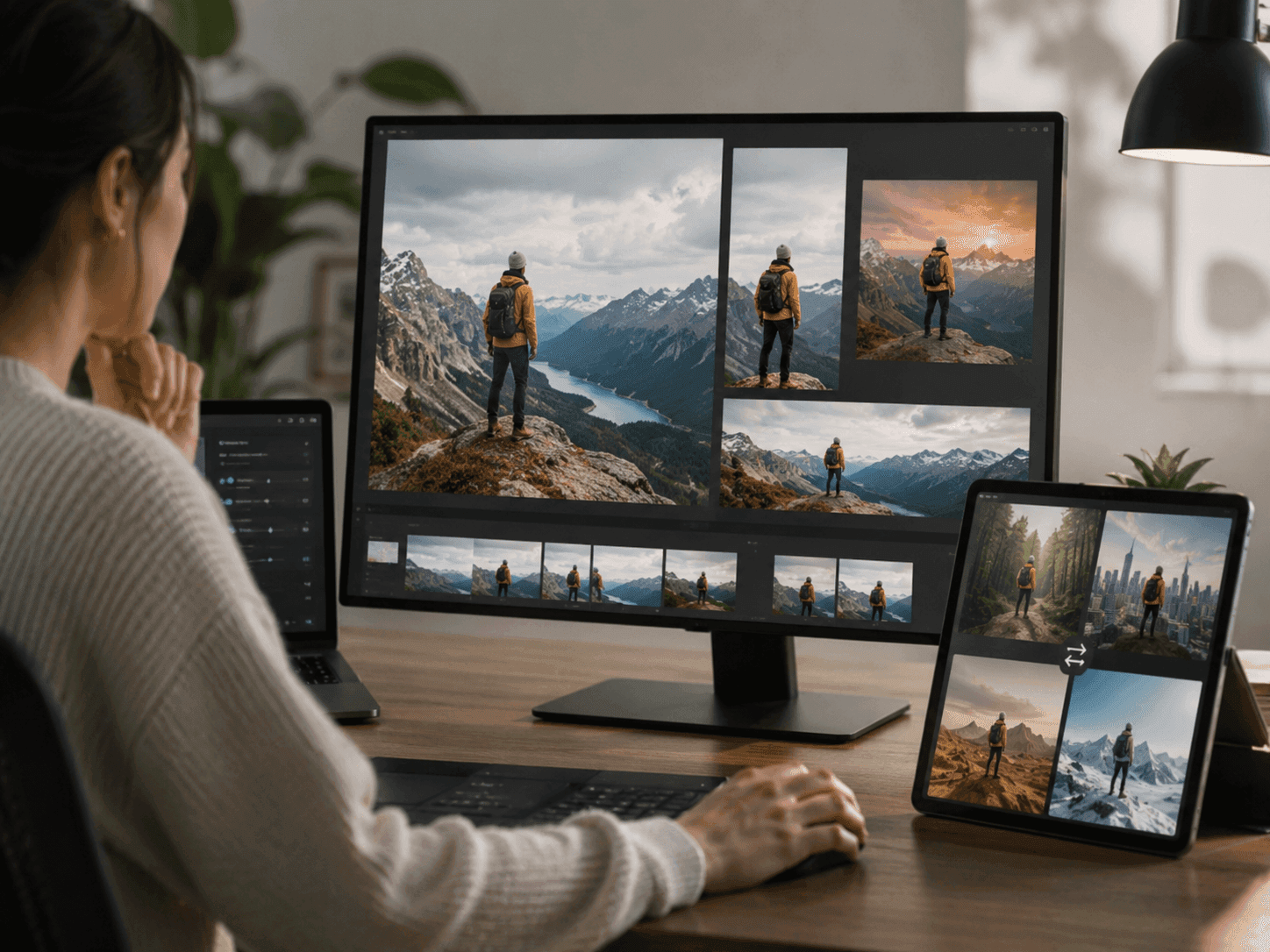
Reshape a shot after it has been generated. Adapt aspect ratios for vertical, square, or letterboxed platforms, extend the frame, or replace a background — without rerunning the take.
Capability gallery
Eight built-in tools cover the work most teams need while shaping AI video. Each tile below is one capability of the Ray 3.2 AI Video Generator, with a sample clip and the kind of direction it supports.
Hover to preview
Keep the original movement rhythm while changing the visible subject or style, so the new shot still follows the same physical timing.
Hover to preview
Describe the camera path and framing language you want, then apply that move to a new visual direction.
Hover to preview
Change the character design while keeping the face timing, expression beats, and body performance readable in motion.
Hover to preview
Layer a more cinematic effect treatment onto the existing action while keeping the motion and scene continuity intact.
Hover to preview
Move a human moment into a warm forest campsite while keeping the people, firelight, tent, and framing believable in the new scene.
Hover to preview
Guide the subject's path and body timing, then carry that same motion intent into a snowy skiing output.
Hover to preview
Add reference keyframes on the timeline and describe the target look, then steer a source shot toward a specific VFX result.
Hover to preview
Reframe one coastal shot into vertical, portrait, and ultrawide versions while extending the composition for each channel.
Each capability is designed to make the generated clip easier to direct, review, and finish, not just create a one-off visual experiment. When you are ready to try it, follow the step-by-step Ray 3.2 guide.
How It Works
Most clips finish in under five minutes. You bring a prompt, optionally add an image reference, and the Ray 3.2 AI Video Generator handles the rest.
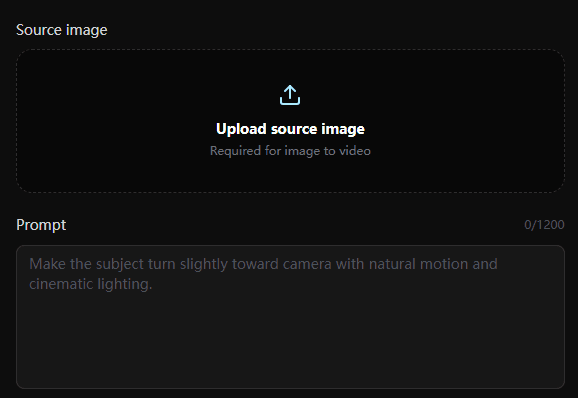
Start from text or an image reference, then describe the end result in plain language. Frame the prompt as a target state, not a command.
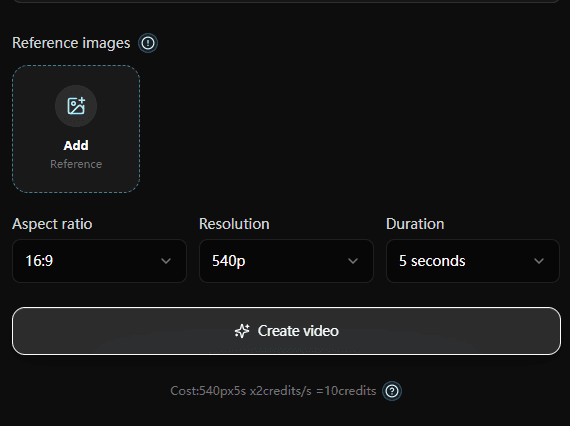
Pin up to 16 keyframes for exact pacing, tune Motion and Structure adherence, and use character locks when a face, body, or pose needs to stay intact.
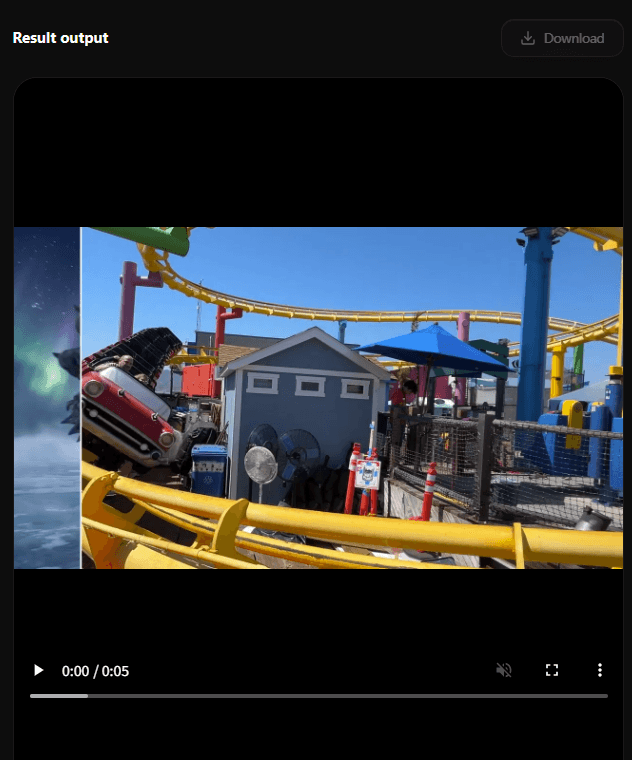
Choose 540p for fast iteration or 1080p HDR with 16-bit EXR for the final cut. Match duration and quality to the review or delivery stage.
At the end you get a finished clip in your chosen resolution and format, with the original duration and motion intact and ready to drop into the next step of post. Need help writing the target-state prompt? Use the How to Use Ray 3.2.
Use Cases
's underlying Ray 3.2 model was designed with input from studios, agencies, and game teams. The Ray 3.2 AI Video Generator on this site brings that model to teams creating clips from text prompts, image references, and controlled review workflows.
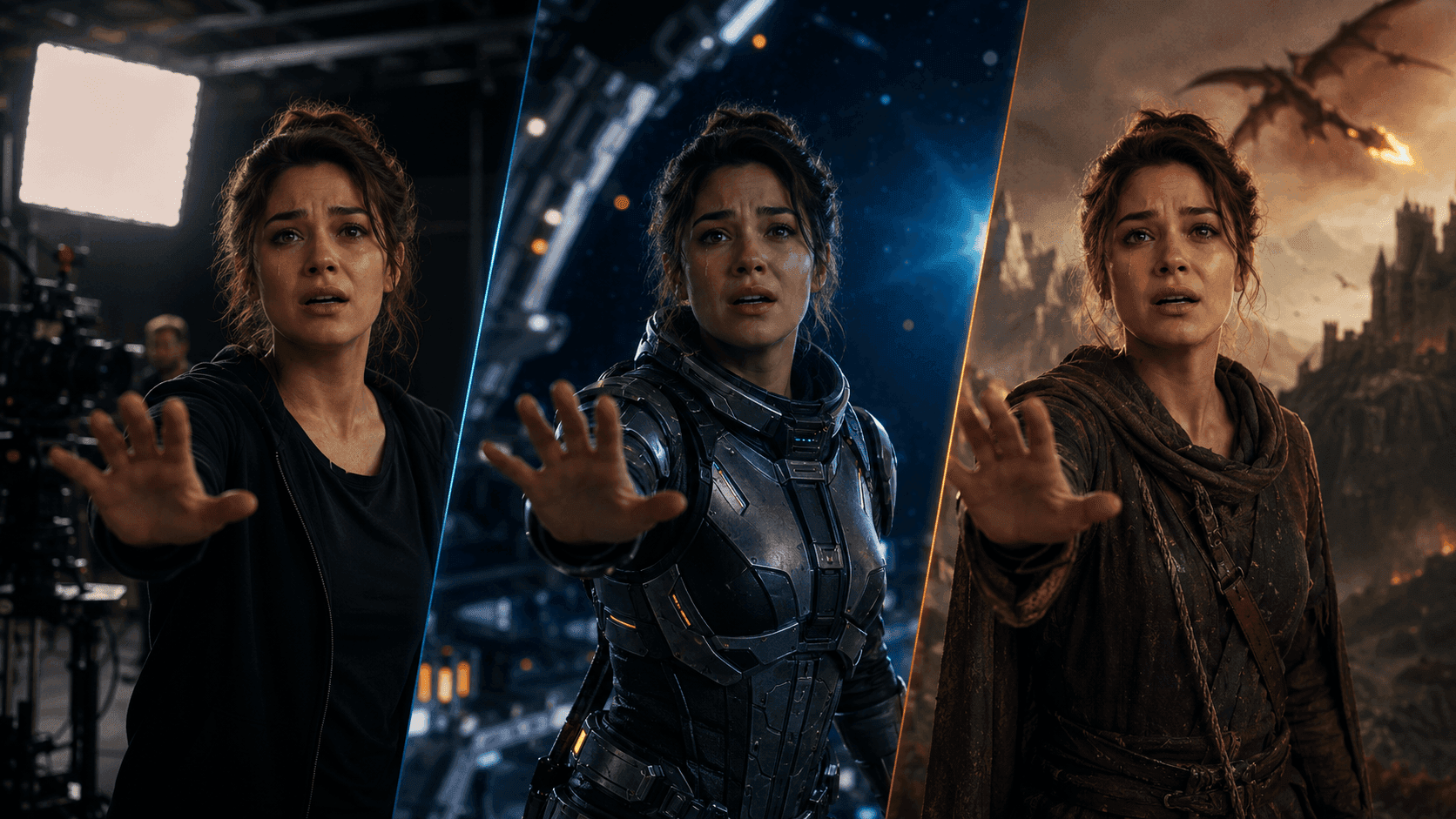
Performance continuity
Keep an actor's emotion and blocking intact while moving the same take through studio, sci-fi, or fantasy worlds.

Campaign localization
Turn one hero take into city, culture, and placement variations without losing the original product pose.
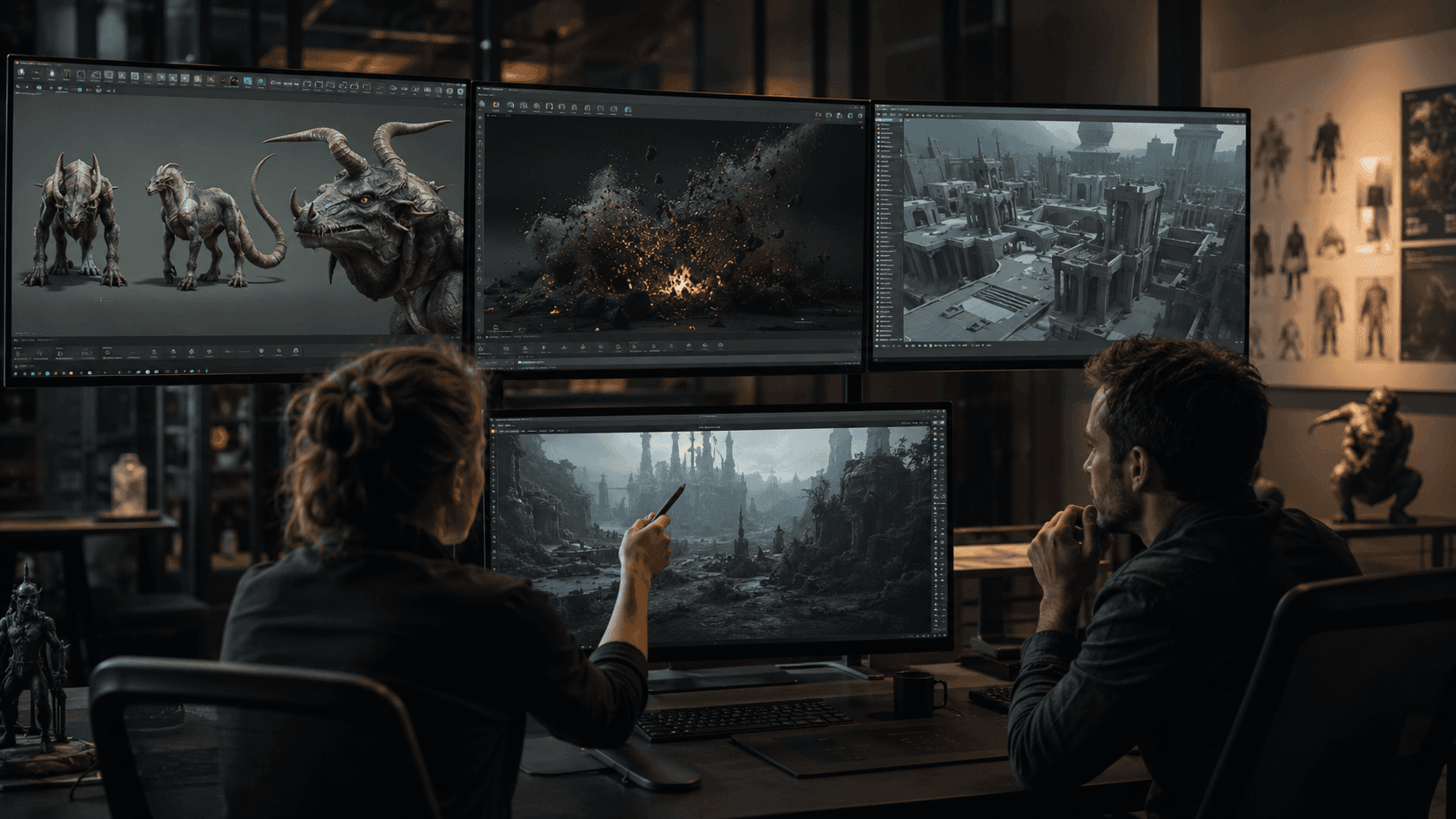
Previs and lookdev
Explore creatures, FX beats, and environment direction before locking expensive 3D or compositing work.

Product refresh
Refresh packaging, lighting, seasonal palettes, and hero visuals while preserving the shoot's original composition.
Compare
Where the Ray 3.2 AI Video Generator fits among 's own models and the other 2026 leaders.
| Feature | Ray 3.2 AI Video Generator | Ray 3 | Ray 3.14 | Other 2026 leaders |
|---|---|---|---|---|
| Primary input | Text + image | Text + image + video | Text + image + video | Mostly text + image |
| Max clip length | 20 seconds at 1080p | Shorter | Up to 18 seconds | 10-20 seconds typical |
| HDR generation | Native 16-bit | Native 10/12/16-bit | Native HDR | Limited or absent |
| EXR export | 16-bit ACES2065-1 | EXR available | EXR available | Not standard |
| Keyframes per clip | Up to 16 (product) / 64 (model) | Start + end | Start + end (Modify) | None to limited |
| Built-in transformations | 8 (motion transfer, relighting, product swap, environment change, etc.) | Reasoning-driven generation tools | Modify start/end only | Mostly text-to-video |
| Best for | Controlled T2V / I2V production | Reasoning-driven first drafts | Faster 1080p iterations | Generative scenes from scratch |
When the Ray 3.2 AI Video Generator is the right call: you need a controllable T2V or I2V workflow with keyframes, adherence controls, and production-ready output. See the full Ray 3.2 vs Ray 3 comparison.
Why choose
Plenty of tools generate video. Few of them direct it. The Ray 3.2 AI Video Generator is built for the moment after the first prompt — when you need a specific result.
Most AI video tools give you a roll of the dice on each prompt. Ray 3.2 hands the dice back with keyframes, adherence sliders, and character locks.
Native 1080p, 16-bit HDR, and ACES2065-1 EXR export mean no conversion step before the color suite.
Plan the output duration before you render. Draft short for exploration, then move the selected direction to a longer or higher-quality final.
Use 540p for cheap iteration and 1080p HDR plus EXR for finish. Same Ray 3.2 AI Video Generator, same controls.
User feedback
Short notes from creative teams using prompts, image references, keyframes, adherence controls, and HDR-ready output to move faster without losing control.
“The best part is that our edit timing stays intact. We can relight a shot and still drop it back into the same cut.”

Maya Chen
Post Producer, indie film team
“The adherence controls are the difference between a cool preview and something we can actually review with clients.”

Priya Nair
Content Lead, brand studio
“The best part is that our edit timing stays intact. We can relight a shot and still drop it back into the same cut.”
Maya Chen
Post Producer, indie film team
“The adherence controls are the difference between a cool preview and something we can actually review with clients.”
Priya Nair
Content Lead, brand studio
“For product variants, it saves us from rebuilding the whole scene. The original hand motion and framing still do the selling.”

Jon Bell
Creative Director, commerce studio
“We use drafts to find the direction, then move to HDR output once the shot earns its place in the campaign.”

Sam Carter
Motion Designer
“For product variants, it saves us from rebuilding the whole scene. The original hand motion and framing still do the selling.”
Jon Bell
Creative Director, commerce studio
“We use drafts to find the direction, then move to HDR output once the shot earns its place in the campaign.”
Sam Carter
Motion Designer
“Keyframes make feedback feel concrete. We can point to the exact beat instead of asking for another random generation.”

Elena Morris
Agency Art Director
“It is especially good for global versions. One product direction can become several local looks without losing the core action.”

Lea Hoffmann
Localization Producer
“Keyframes make feedback feel concrete. We can point to the exact beat instead of asking for another random generation.”
Elena Morris
Agency Art Director
“It is especially good for global versions. One product direction can become several local looks without losing the core action.”
Lea Hoffmann
Localization Producer
“Ray 3.2 is useful when the performance already works. We keep the actor's motion and explore the character design around it.”

Rafael Soto
VFX Supervisor
“The workflow feels closer to directing a shot than rolling prompts. That makes approvals calmer.”

Noah Kim
Studio Founder
“Ray 3.2 is useful when the performance already works. We keep the actor's motion and explore the character design around it.”
Rafael Soto
VFX Supervisor
“The workflow feels closer to directing a shot than rolling prompts. That makes approvals calmer.”
Noah Kim
Studio Founder
One-time Credits
Buy credits for draft exploration, daily production, or higher-volume 1080p HDR and EXR-ready video work.
Limited-time creator pricing. Lock in credits before the offer resets.
Limited-time creator pricing. Lock in credits before the offer resets.
Limited-time creator pricing. Lock in credits before the offer resets.
Limited-time creator pricing. Lock in credits before the offer resets.
Choose one-time credits or subscription · Flexible billing options
FAQ
The most common questions about the Ray 3.2 AI Video Generator, answered from 's official model and product documentation.
The Ray 3.2 AI Video Generator is an AI video creation tool built around text-to-video and image-to-video workflows. You write a target-state prompt, optionally add an image reference, and generate a controlled video result.
Ray 3.2 was introduced by Labs on June 9, 2026, as an update to Ray 3.
Yes. The Ray 3.2 AI Video Generator supports text-to-video and image-to-video creation, so you can start from a written prompt or use an image reference to anchor the look.
A Ray 3.2 clip can be up to 20 seconds at 1080p, depending on the output settings and credit budget you choose.
The Ray 3.2 AI Video Generator supports up to 16 keyframes per clip, giving you direct control over important beats across the shot.
Ray 3.2 supports SDR, HDR, and HDR plus 16-bit EXR output, with resolutions from quick drafts up to 1080p.
The Ray 3.2 AI Video Generator supports motion transfer, camera motion transfer, character transformation, visual effects, environment changes, relighting, product swaps, and global campaign variations. Use prompts, image references, keyframes, and controls to keep the generated result consistent.
Ray 3.2 pricing is credit-based and depends on the resolution, length, and output format you choose. The free starter credits are enough to try the workflow with a first clip.
Free starter credits. Independent SaaS workflow built on Ray 3.2.